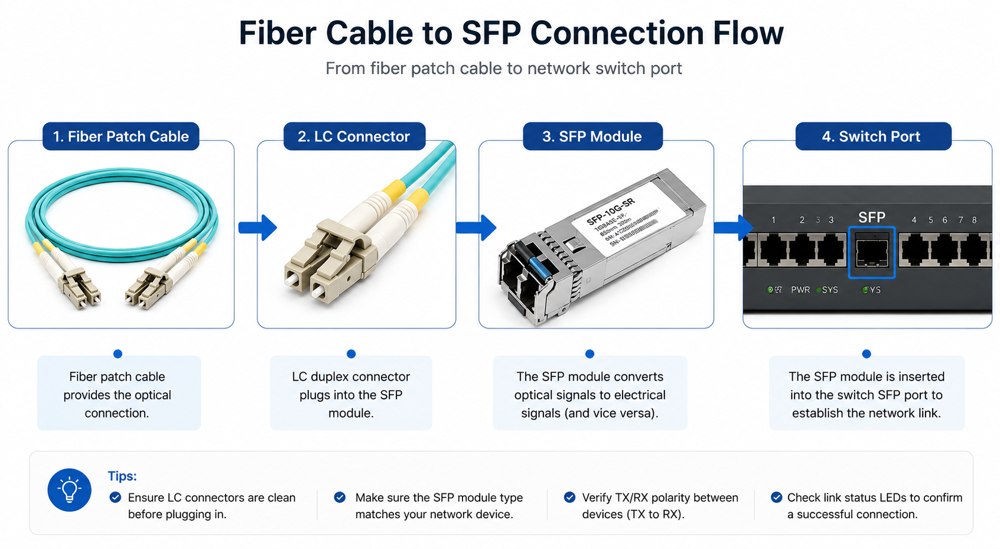

Connecting a fiber optic cable to an SFP module is straightforward when the correct cable, connector, and transceiver are used. First, insert the SFP module into the compatible switch, router, or media converter. Remove the protective dust caps from both the SFP port and the fiber patch cable, clean the connectors if necessary, and plug the LC fiber connectors into the SFP module. Finally, verify the TX/RX polarity and check that the Link LED is illuminated. Always ensure that the fiber type (single-mode or multimode), wavelength, transmission distance, and connector type match the specifications of the SFP transceiver.
Key Takeaways
Most standard SFP optical modules use LC duplex connectors.
Always match single-mode fiber with single-mode SFP modules and multimode fiber with multimode SFP modules.
TX on one device must connect to RX on the opposite device.
Clean fiber connectors before installation to reduce insertion loss.
Confirm compatibility by checking wavelength, speed, connector type, and transmission distance.
Today, we will discuss the best methods to connect SFP to fiber optic patch cables. To connect a fiber optic cable to SFP optical module, first ensure the SFP is fully inserted into the network port until it "clicks", then remove the dust caps from both the SFP and the LC fiber optic connector. Clean the fiber end face to avoid dust contamination, align the LC connector with the SFP port, push it in gently until it locks with a click, and make sure the TX (transmit) side of one end connects to the RX (receive) side of the opposite device to establish a normal link.
SFP optical transceivers can be used in a wide range of areas, such as telecommunication networks, data centers, enterprise networks and industrial automation. At this circumstance, UnitekFiber has been committed to the development and manufacture of SFP Optical Transceivers, and the products related such as DAC cables and AOC cables, LC Fiber Patchcords and MPO|MTP Fiber Cables.
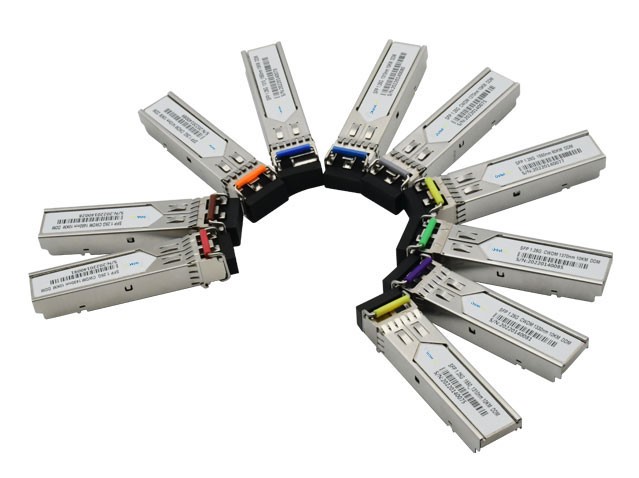
SFP module is an electronic device that converts electrical signals into optical signals so that data can be transmitted through optical fibers. Therefore, SFP module is also called SFP optical transceiver. We are offering high-performance 1.25G SFP module, 10G SFP+, 25G SFP28, 40G QSFP+, 100G QSFP28, 200G QSFP56 and 400G QSFP-DD optical transceivers.
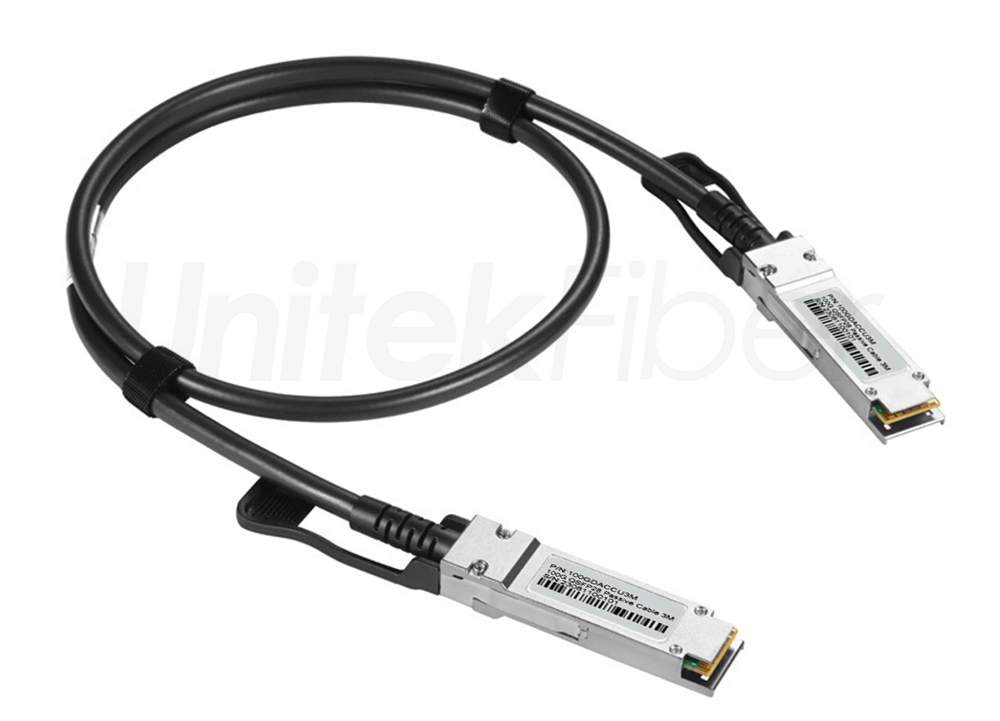
Direct Attach Cable (DAC) is comprised of a twinax copper cable terminated with SFP module connectors on both ends, which can provide an electrical connection directly into active equipment. It is available in gauges ranging from 24 to 30AWG and can be used in a variety of lengths for short distances up to 10 meters. Searching for a reliable DAC cable? DAC Cable are available in 10G SFP+, 25G SFP28, 40G QSFP+, 100G QSFP28, 200G QSFP56 and 400G QSFP-DD data rates, with additional options for breakouts from 40G to 4x10G or 100G to 4x25G variants, which can optimize your data transmission setups!
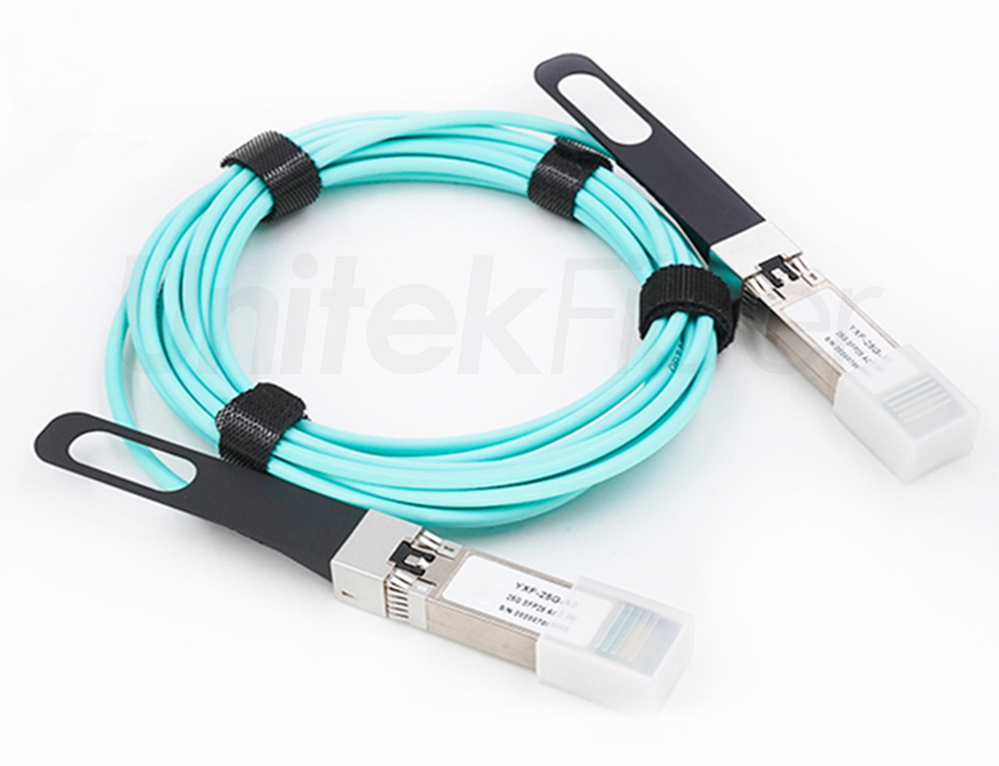
Active Optical Cable (AOC) consists of a multimode fiber optic cable terminated with SFP connectors on both ends, which requires external power to complete the conversion of electric and optical signals, from the electric signals to optical ones, and then convert to electric signals finally. Generally speaking, AOC cables are mostly used to link switches, servers, and storage between different racks inside data centers. You can choose 10G to 400G AOC cable and breakout AOC cable from UnitekFiber for quick and simple connections within racks and across adjacent racks.
Many connection failures occur before the fiber cable is even installed. Taking a few minutes to verify compatibility can prevent link errors, optical loss, and unnecessary troubleshooting.
Before installation, confirm the following:
| Item | What to Check |
|---|---|
| Module Type | SFP, SFP+, SFP28 or QSFP |
| Fiber Type | Single-mode (OS2) or Multimode (OM3/OM4/OM5) |
| Connector | LC, SC, MPO |
| Speed | 1G / 10G / 25G |
| Wavelength | 850nm / 1310nm / 1550nm |
| Transmission Distance | 300m / 10km / 40km / 80km |
| Vendor Compatibility | Cisco, HPE, Juniper, Arista, etc. |
Choosing incompatible components is one of the most common reasons optical links fail to establish.
At present, the common optical modules are divided into LC interface, SC interface and MPO interface, and the LC interface is divided into simplex and duplex. The electrical port module uses the RJ45 interface. To realize information exchange between the optical modules, the two optical modules must be connected together. The jumpers connecting the two modules need to match their interfaces before they can be inserted for transmission.
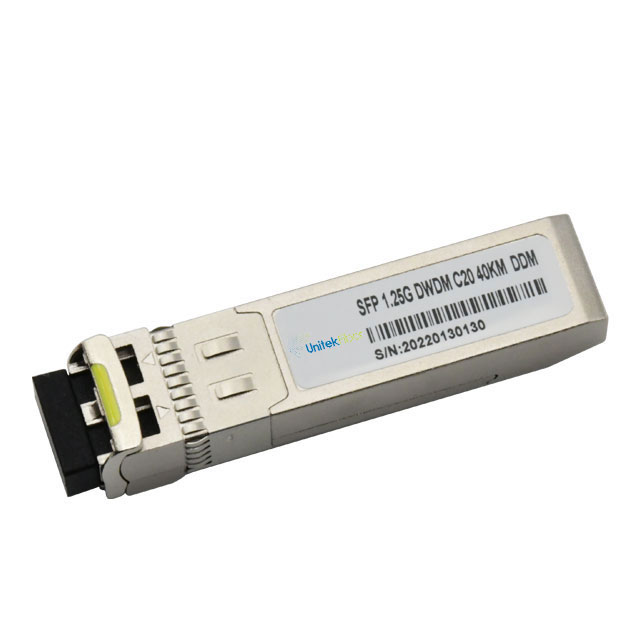
Before installing the SFP transceiver, make sure to disconnect all cables to prevent damage to cables, connectors, and optics.
Try not to install and remove SFP transceivers too frequently, as this may shorten their life expectancy.
The transceiver module is sensitive to static electricity. It is recommended to use an anti-static wrist strap or similar grounding device during installation and removal.
Never remove the dust plugs from the SFP transceivers unless they are ready for use. Likewise, the dust plug on the SFP transceiver protects the optical hole and must not be removed until a jumper wire is connected to it.
Before connecting the optical cable to the SFP optical module, mainly check whether the optical cable is damaged, check whether the outer sheath of the optical cable is damaged, whether the writing on the cable sheath is clear and wear-resistant, and whether the sealing of the optical cable end is intact.
You can also use an active connector to connect the fiber under test to the test pigtail, then use an OTDR to test the length and average loss of the fiber, and compare it with the factory test index of the fiber to see if there is any error. At the same time, check whether there are attenuation steps and reflection peaks on the backscattering curve of the fiber.
Remove the SFP transceiver module from its protective packaging.
Check the label on the body of the SFP to verify that it is the correct model for your network.
Locate the transmit (TX) and receive (RX) markings that identify the top of the SFP transceiver.
Place the SFP transceiver in front of the fiber optic connector.
Insert the SFP optical module into the port of the fiber optical cable connector, and push down gently until the SFP optical module is locked.

In the fast-paced world of data transmission, having a reliable and efficient fiber optic network is non-negotiable. Unitekfiber, a renowned name among fiber cable suppliers, brings a range of cutting-edge solutions to meet the diverse needs of modern connectivity. Explore the exceptional benefits of Unitekfiber's offerings, from pre-terminated direct burial fiber to MPO to LC breakout cables and high-quality fiber optic cable in bulk.
| Problem | Possible Cause | Solution |
|---|---|---|
| Link LED Off | TX/RX reversed | Swap the fiber connectors |
| No Signal | Wrong fiber type | Match OS2 with SM SFP or OM fiber with MM SFP |
| High Optical Loss | Dirty connectors | Clean both connectors |
| CRC Errors | Damaged patch cable | Replace cable |
| Unsupported Module | Vendor lock | Install compatible SFP |
| LOS Alarm | Incorrect wavelength | Verify module specifications |
| Frequent Disconnects | Loose connector | Reinsert the LC connector securely |
| Connector | Typical Application | Compatible with Standard SFP |
|---|---|---|
| LC Duplex | Most SFP modules | Yes |
| SC | Legacy fiber systems | Requires adapter |
| MPO | High-density data centers | QSFP series |
| RJ45 | Copper Ethernet | Copper SFP |
Although LC connectors dominate modern SFP applications, understanding connector compatibility helps prevent installation errors.
Even experienced technicians occasionally encounter preventable installation issues. Avoid these common mistakes to improve network reliability:
Connecting TX to TX instead of TX to RX
Mixing single-mode and multimode components
Ignoring connector cleanliness
Exceeding the cable's minimum bend radius
Using unsupported third-party SFP modules
Removing the module without unlocking the latch
Forgetting to verify wavelength compatibility
Following these best practices can significantly reduce installation failures and improve long-term optical network performance.
Professional network engineers typically follow several best practices to maximize optical link stability:
Always inspect and clean connectors before every installation.
Label fiber polarity during large-scale deployments.
Use certified patch cords with documented insertion loss.
Avoid unnecessary fiber adapters that increase attenuation.
Verify optical power levels using an optical power meter after installation.
Maintain proper cable management to prevent stress on the connectors.
These practices help minimize downtime and improve long-term network reliability, especially in enterprise and data center environments.
40G QSFP+ DAC cables Vs. 40G QSFP+ AOC Cables
Applications of AOC Cables and DAC Cables in Data Centers
The Ultimate Guide to Direct Attach Copper (DAC) Cables
What are the Benefit of DAC Cable?
What is the function of DAC Cable?
Factors to Consider When Choosing DAC Cable Over AOC Cable
Use a fiber optic cleaning pen or lint-free wipes with isopropyl alcohol. Clean the connector end face gently, avoid touching it with your fingers, and inspect it if possible before reconnecting. Proper cleaning reduces insertion loss and helps prevent intermittent optical link problems.
Yes. Most optical SFP modules are designed to accept fiber optic patch cables directly, typically through LC duplex connectors. Before connecting the fiber, insert the SFP module into the switch or router, remove the dust caps, and ensure the fiber type (single-mode or multimode) matches the SFP specifications.
Check speed, fiber type, wavelength, connector type, transmission distance, and vendor compatibility. For example, a 10GBASE-LR SFP+ requires single-mode OS2 fiber, while a 10GBASE-SR module requires multimode OM3/OM4 fiber. The network device must also support the module’s speed and form factor.
Yes. Most modern SFP, SFP+, and SFP28 modules are hot-swappable, meaning they can be inserted or removed while the switch or router remains powered on. However, always follow the equipment manufacturer’s guidelines and avoid touching the optical interfaces during installation.
A link light that stays off is usually caused by reversed TX/RX polarity, a dirty connector, wrong fiber type, unsupported SFP module, or a damaged cable. Start by cleaning the connectors, verifying polarity, and checking that both devices support the same speed and optical standard.
If TX is connected to TX and RX to RX, the optical link will not come up. Ethernet fiber connections require crossed polarity: TX on one device must connect to RX on the other. Swapping the two fiber connectors usually resolves the problem immediately.
Generally no. Single-mode and multimode components are designed for different core sizes and optical characteristics. Mixing single-mode fiber with a multimode SFP, or vice versa, can cause excessive loss, unstable links, or complete connection failure. Always match the fiber type to the SFP module.
Transmission distance depends on the module type. Typical examples include 1000BASE-SX: up to 550 m, 1000BASE-LX: up to 10 km, 10GBASE-SR: up to 300–400 m, and 10GBASE-LR: up to 10 km. Long-reach ER/ZR modules can transmit 40–80 km or more on single-mode fiber.
No. Most optical SFP modules use LC duplex connectors, but not all. Some BiDi SFPs use a single LC connector, while copper SFPs use RJ45 ports. Higher-density modules such as QSFP often use MPO/MTP connectors.
 5G 6G Fronthaul & Backhaul
View More
5G 6G Fronthaul & Backhaul
View More
 Data Center & Cloud Interconnect
View More
Data Center & Cloud Interconnect
View More
 Enterprise & Industrial Optical
View More
Enterprise & Industrial Optical
View More
 FTTx & Access Solutions
View More
FTTx & Access Solutions
View More
 Metro & Access Networks
View More
Metro & Access Networks
View More
 Optical Cabling Systems
View More
Optical Cabling Systems
View More
 Optical Transceivers & Interconnect
View More
Optical Transceivers & Interconnect
View More
 WDM & High-Capacity Transmission
View More
WDM & High-Capacity Transmission
View More
+86-755-21034367